I’ve lost count of how many times I’ve had an ad rejected, cropped or letterboxed because one number was wrong.
The headline got cut off. The CTA button sat right on top of the product. The “square” image was 1080 x 1000 and Meta quietly zoomed it.
Every one of those mistakes costs you money, because a badly cropped ad loses the auction before anyone reads it.
So I put every size I actually use into one cheat sheet. I took the numbers from each platform’s own help pages wherever I could, and I made a sample ad for every key shape so you can see what each size looks like.
Bookmark it. You’ll need it again next week.
And if you’d rather not build all these sizes by hand, my recommendation is AdStorm, our AI ad generator. You pick the platform and ad type, and it gives you finished ads in the right size. More on that below.
A quick warning: platforms change their specs without telling anyone. I checked these in October 2026. Before a big launch, look at the official page I link in each section.
The master cheat sheet
If you only need the size, here it is.
| Platform | Placement | Size (px) | Ratio |
|---|---|---|---|
| Facebook / Instagram | Feed (image or video) | 1440 x 1800 | 4:5 |
| Facebook / Instagram | Feed square | 1080 x 1080 | 1:1 |
| Facebook / Instagram | Stories and Reels | 1440 x 2560 (or 1080 x 1920) | 9:16 |
| Facebook / Instagram | Carousel card | 1080 x 1080 | 1:1 |
| Right column | 1080 x 1080 | 1:1 | |
| TikTok | In-Feed video | 1080 x 1920 | 9:16 |
| YouTube | In-stream video | 1920 x 1080 | 16:9 |
| YouTube | Shorts | 1080 x 1920 | 9:16 |
| YouTube | Companion banner | 300 x 60 | 5:1 |
| Responsive display (landscape) | 1200 x 628 | 1.91:1 | |
| Responsive display (square) | 1200 x 1200 | 1:1 | |
| Responsive display (vertical) | 900 x 1600 | 9:16 | |
| Google Display | Medium rectangle | 300 x 250 | IAB |
| Google Display | Large rectangle | 336 x 280 | IAB |
| Google Display | Leaderboard | 728 x 90 | IAB |
| Google Display | Billboard | 970 x 250 | IAB |
| Google Display | Skyscraper / half page | 160 x 600 / 300 x 600 | IAB |
| Google Display | Mobile banner | 320 x 50 | IAB |
| Single image | 1200 x 627, 1200 x 1200, 720 x 900 | 1.91:1, 1:1, 4:5 | |
| X (Twitter) | Image ad | 1200 x 1200 or 1200 x 628 | 1:1, 1.91:1 |
| Standard pin | 1000 x 1500 | 2:3 | |
| Snapchat | Single image or video | 1080 x 1920 | 9:16 |
| Image ad | 1080 x 1080, 1080 x 1350, 1920 x 1080 | 1:1, 4:5, 16:9 |
Here’s how those shapes compare when you draw them on the same scale:
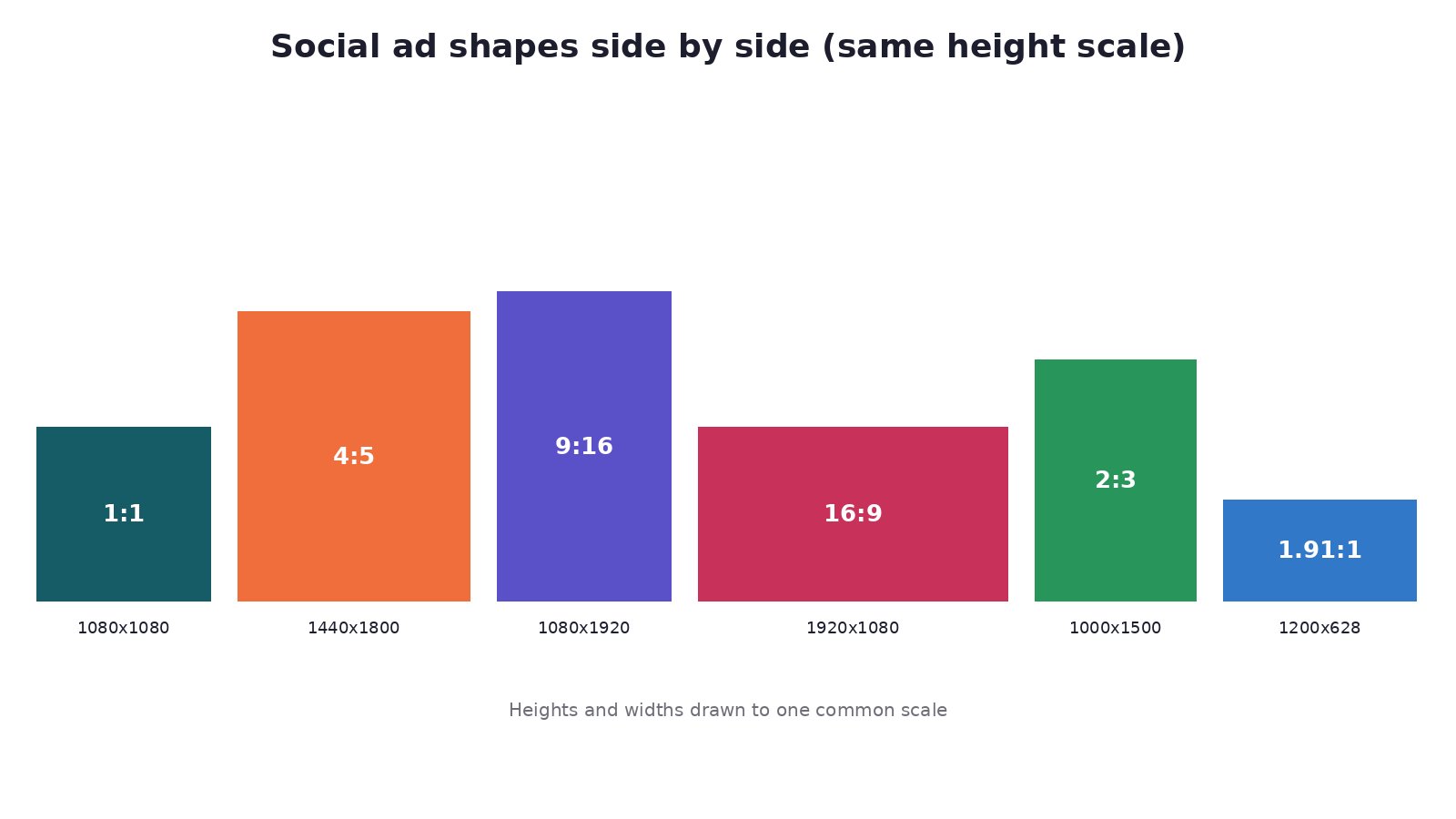 Social ad aspect ratios side by side
Notice something? Just four shapes cover almost everything: 1:1, 4:5, 9:16 and 1.91:1 (or 16:9). Keep that in mind. It’ll save you a lot of work later.
This is also the exact problem I built AdStorm to solve. Instead of resizing one design for every row in this table, you choose the platforms and AdStorm creates each ad to that platform’s specification.
Facebook and Instagram (Meta)
Meta is where most of us spend the biggest chunk of our budget, so let’s start there.
Meta specs table
| Placement | Size | Ratio | File | Text limits |
|---|---|---|---|---|
| Facebook Feed image | 1440 x 1800 | 4:5 | JPG/PNG, 30 MB max | Primary 50-150 chars, headline 27 |
| Instagram Feed image | 1440 x 1800 | 4:5 (1.91:1 to 4:5 allowed) | JPG/PNG, 30 MB | Primary 125, headline 40 |
| Stories image | 1440 x 2560 | 9:16 | JPG/PNG, 30 MB | Primary 125, headline 40 |
| Reels video | 1440 x 2560 | 9:16 | MP4/MOV, up to 4 GB | Up to 15 min |
| Carousel | 1080 x 1080 per card | 1:1 | 2-10 cards, 30 MB each | Headline 40 |
| Right column | 1080 x 1080 | 1:1 | JPG/PNG | Desktop only |
The 4:5 portrait is my default feed size. It takes up more of the phone screen than a square, and more screen means more attention.
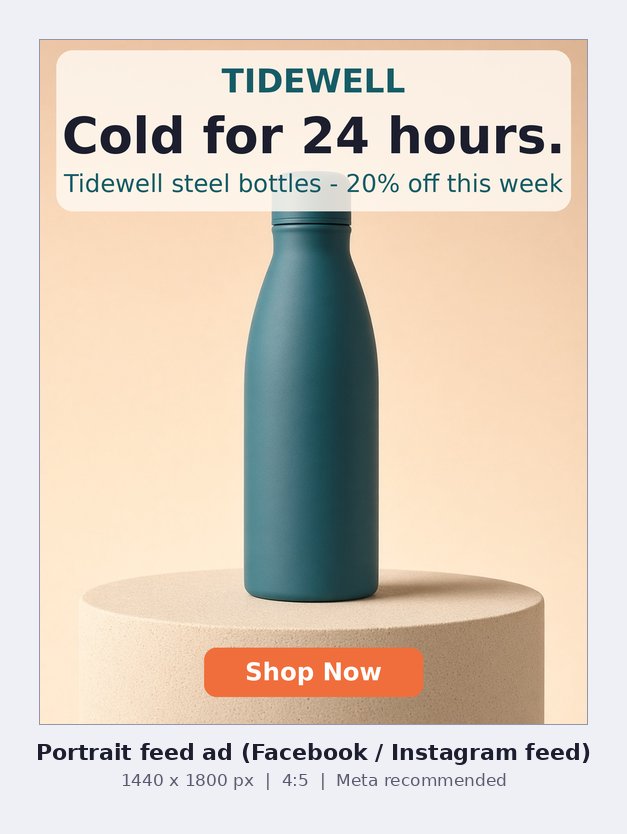 4:5 portrait feed ad sample
The square still matters. It’s the safe choice for the right column, carousels, and any ad you want to reuse on LinkedIn or X.
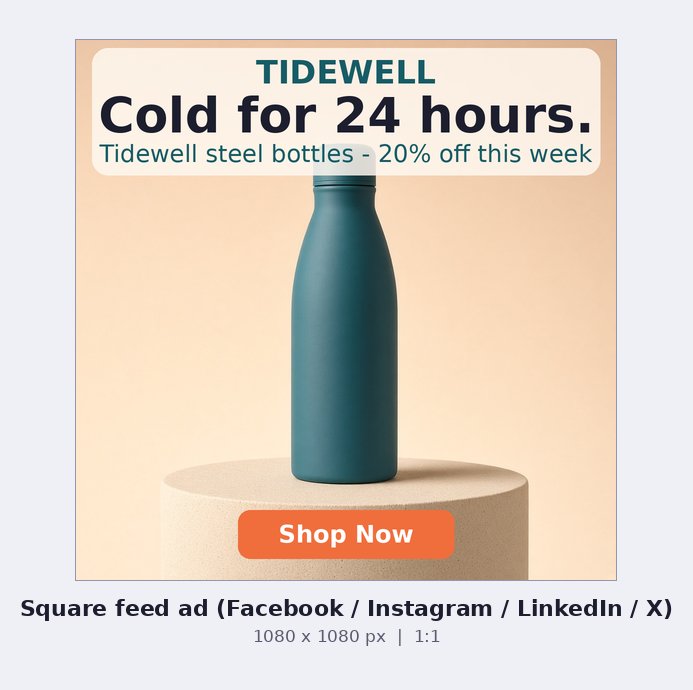 1:1 square feed ad sample
Carousels give you up to 10 square cards. I like using each card for one benefit:
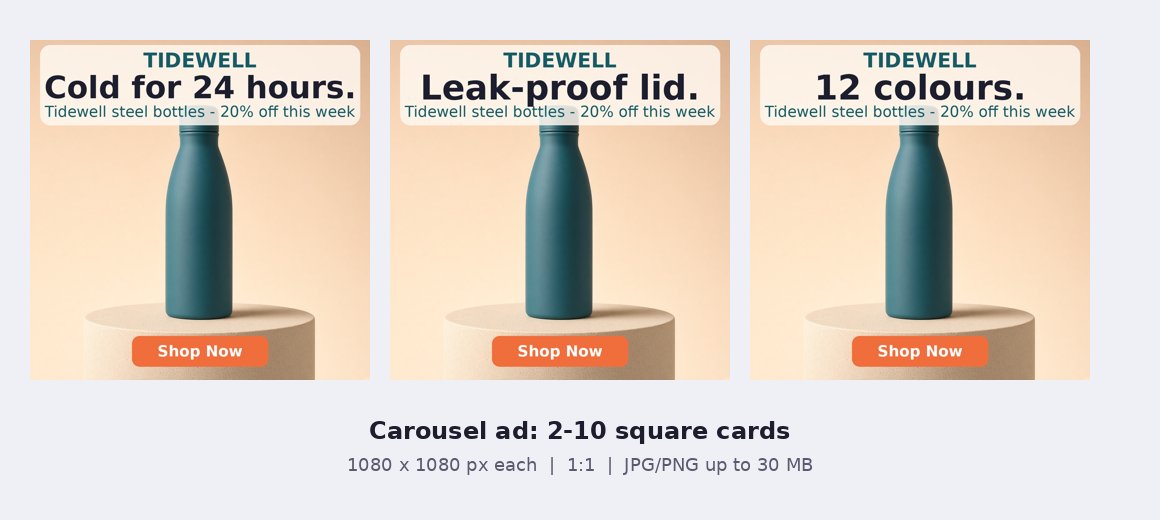 Carousel ad sample with three square cards
Meta safe zones for Stories and Reels
This is where most ads go wrong.
Meta says to keep roughly the top 14%, the bottom 35% and 6% on each side free of text, logos and key visuals. That’s where the profile name, caption and CTA button sit.
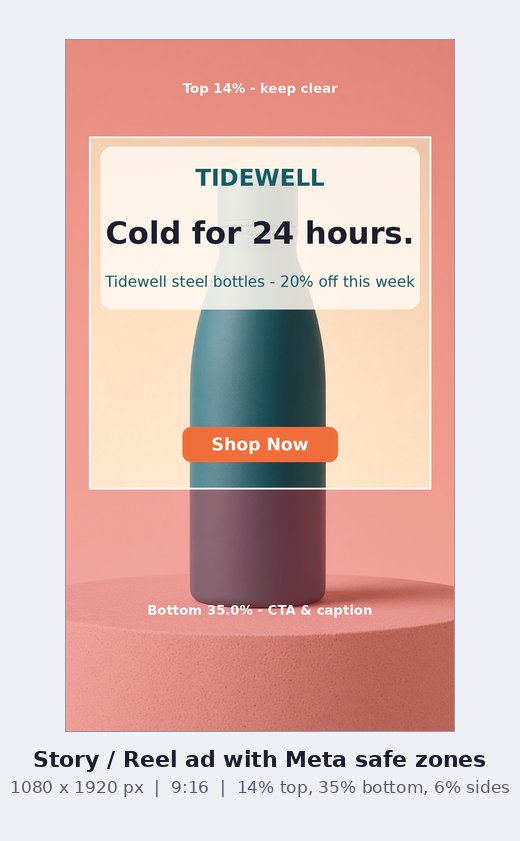 Story and Reel 9:16 safe zone overlay
The red areas are no-go zones for anything important. Your headline and product should live inside the white box.
Official source: Meta Ads Guide.
TikTok
TikTok is vertical, full-screen and fast. Anything that isn’t 9:16 looks like an ad from somewhere else.
| Spec | Value |
|---|---|
| Size | 1080 x 1920 recommended (min 540 x 960) |
| Ratio | 9:16 (1:1 and 16:9 accepted) |
| File | MP4, MOV, MPEG, 3GP or AVI, up to 500 MB |
| Length | Up to 10 minutes; 9-15 seconds is the sweet spot |
| Ad text | 100 characters, no links or hashtags |
| Display name | 20 characters |
TikTok publishes its safe zone as an overlay file rather than numbers. Measured at 1080 x 1920, the standard In-Feed overlay leaves about 240 px at the top, 660 px at the bottom and 120 px on each side. The right edge also has the like/comment/share rail, so keep faces and text away from it.
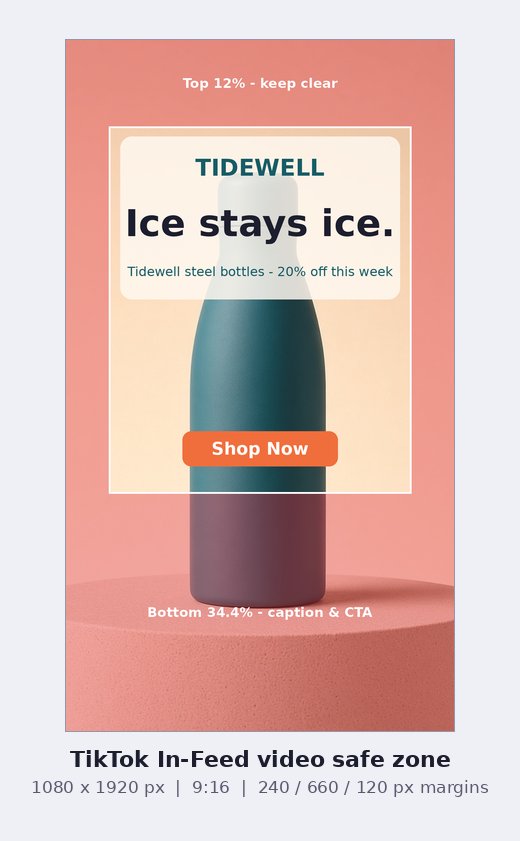 TikTok 9:16 safe zone overlay
One more thing: if your ad uses AI-generated content, TikTok expects you to label it when you build the ad.
YouTube
| Format | Size | Ratio | Length |
|---|---|---|---|
| Skippable in-stream | 1920 x 1080 | 16:9 (9:16 also accepted) | Any length; 15-20 s suggested for action |
| Shorts | 1080 x 1920 | 9:16 | Keep under 60 s |
| Companion banner | 300 x 60 | 5:1 | JPG/PNG/GIF, 150 KB, desktop only |
Your video has to be uploaded to YouTube (public or unlisted) before you can use it in an ad. YouTube accepts big files, up to 256 GB, so file size is rarely the problem. Length and the first five seconds are.
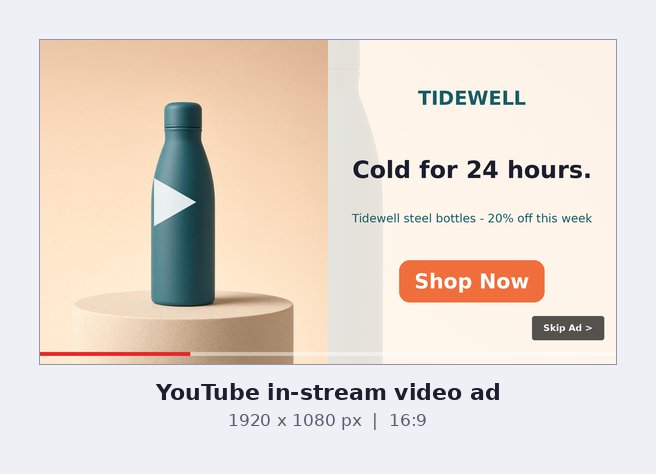 YouTube 16:9 in-stream ad sample
See that “Skip Ad” button bottom-right? It sits on every skippable ad. Don’t put your offer there.
Official source: Google Ads video ad specs.
Google Display Network
Google gives you two ways to run display ads.
Responsive display ads
You upload images, logos and text, and Google assembles the ad for every slot. This is what I recommend for most people.
| Asset | Spec |
|---|---|
| Landscape image | 1200 x 628 (min 600 x 314), 1.91:1 |
| Square image | 1200 x 1200 (min 300 x 300), 1:1 |
| Vertical image | 900 x 1600 (min 600 x 1067), 9:16, optional |
| Logo | 1200 x 1200 (1:1) and 1200 x 300 (4:1) |
| File size | 5120 KB max per image |
| Short headline | Up to 5, 30 characters each |
| Long headline | 1, 90 characters |
| Description | Up to 5, 90 characters each |
| Business name | 25 characters |
The 1.91:1 landscape is the one image you’ll reuse the most. It works on Google, Facebook link ads, LinkedIn, X and Reddit.
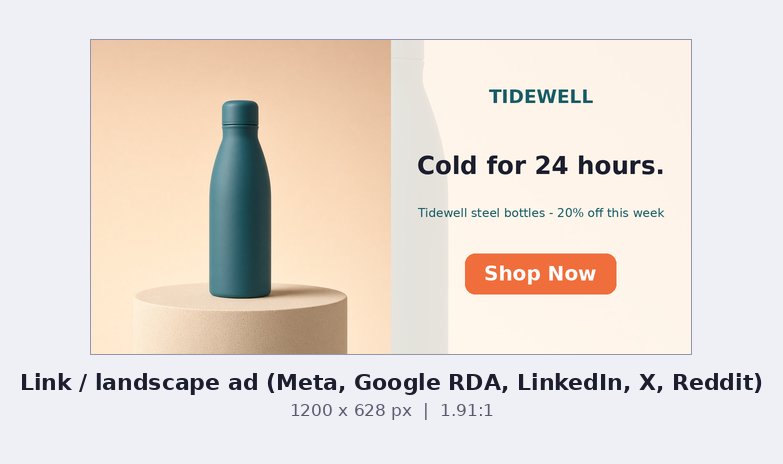 1.91:1 landscape link ad sample
Uploaded image ads (the classic IAB sizes)
If you want full control, upload finished banners. These must be JPG, PNG or GIF, 150 KB max. Animated GIFs must stop by 30 seconds.
| Name | Size |
|---|---|
| Medium rectangle | 300 x 250 |
| Large rectangle | 336 x 280 |
| Leaderboard | 728 x 90 |
| Large leaderboard | 970 x 90 |
| Billboard | 970 x 250 |
| Skyscraper / wide skyscraper | 120 x 600 / 160 x 600 |
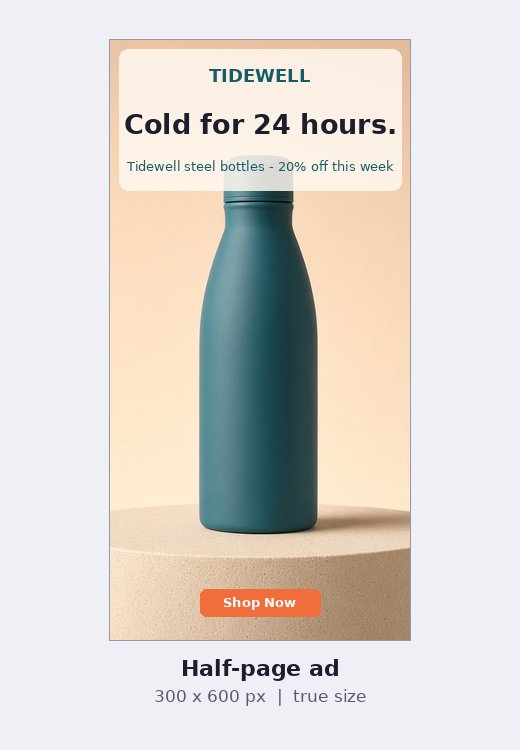
| Half page | 300 x 600 |
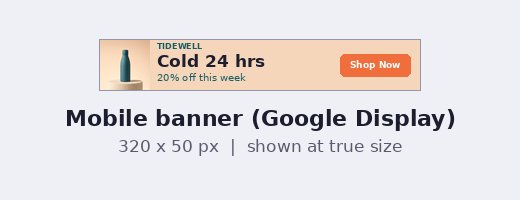
| Mobile banner | 320 x 50 (also 300 x 50) |
| Large mobile banner | 320 x 100 |
Here they are drawn to the same scale. You can see why one design never fits them all.
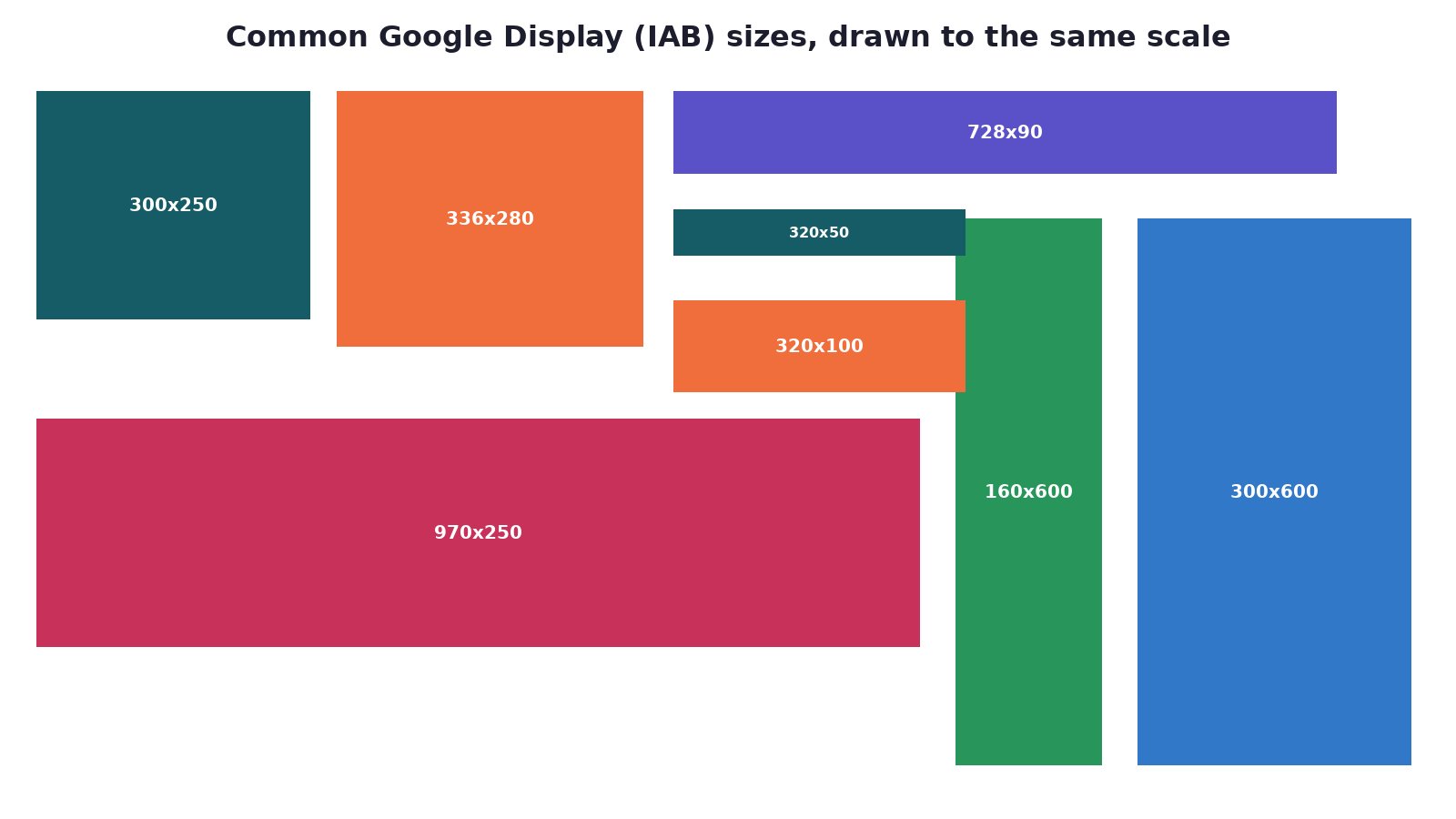 Google Display banner sizes comparison
And here’s what each looks like as a real ad. The 300 x 250 is the workhorse. It fits almost every site, in the article and in the sidebar.
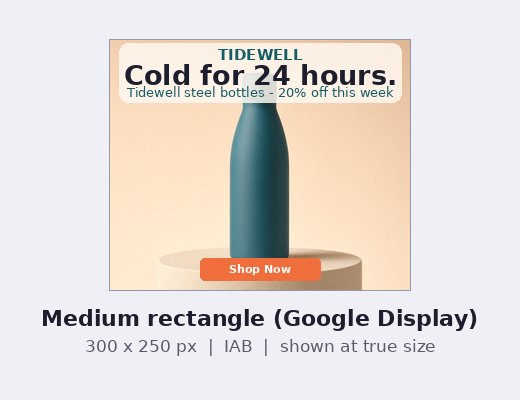 300x250 medium rectangle sample
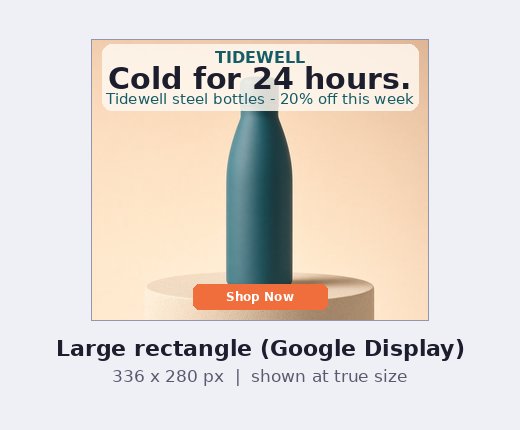 336x280 large rectangle sample
The 728 x 90 leaderboard gives you room for about five words and a button. That’s it.
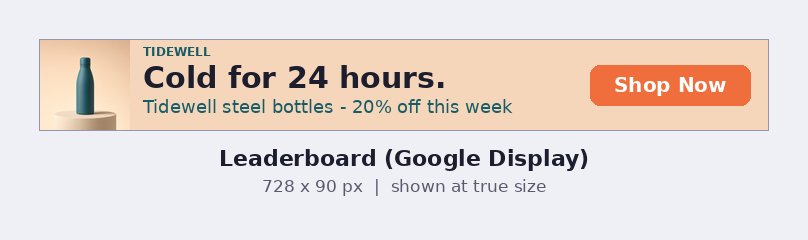 728x90 leaderboard sample
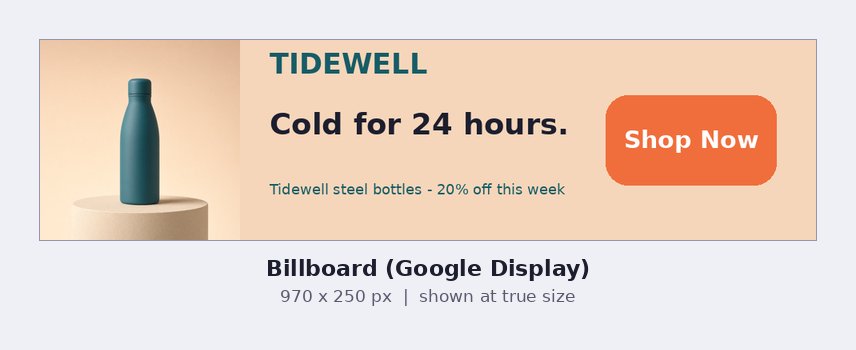 970x250 billboard sample
Tall ads need a stacked layout: logo, product, short headline, button.
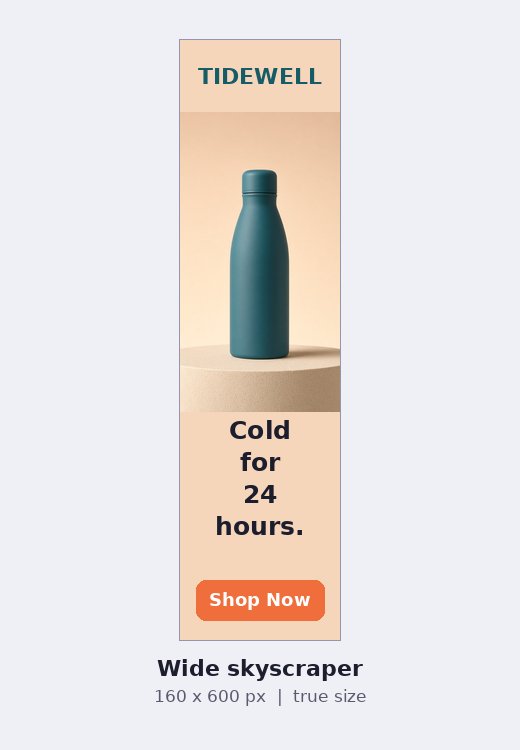 160x600 skyscraper sample
 300x600 half-page sample
And the tiny 320 x 50 mobile banner. Three words, one button, nothing else.
 320x50 mobile banner sample
Official source: Uploaded display ads specifications.
| Spec | Value |
|---|---|
| Landscape | 1200 x 627 (1.91:1) |
| Square | 1200 x 1200 (1:1) |
| Vertical | 720 x 900 (4:5), mobile only |
| File | JPG, PNG or GIF, 5 MB max |
| Introductory text | 150 characters before truncation (3,000 max) |
| Headline | 70 characters |
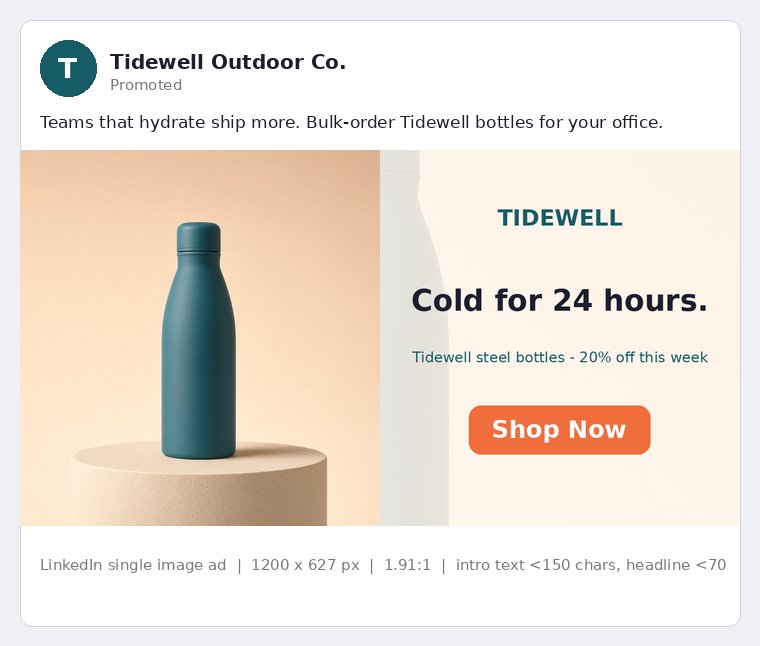
LinkedIn now recommends vertical 4:5 for mobile. Just remember vertical ads only serve on mobile, so keep a landscape or square version too.
 LinkedIn single image ad sample
X (Twitter)
| Spec | Value |
|---|---|
| Image sizes | 1200 x 1200 (1:1), 1200 x 628 (1.91:1); portrait 4:5 and 2:3 also supported |
| File | JPG, PNG, WEBP or GIF, 5 MB max |
| Post text | 280 characters |
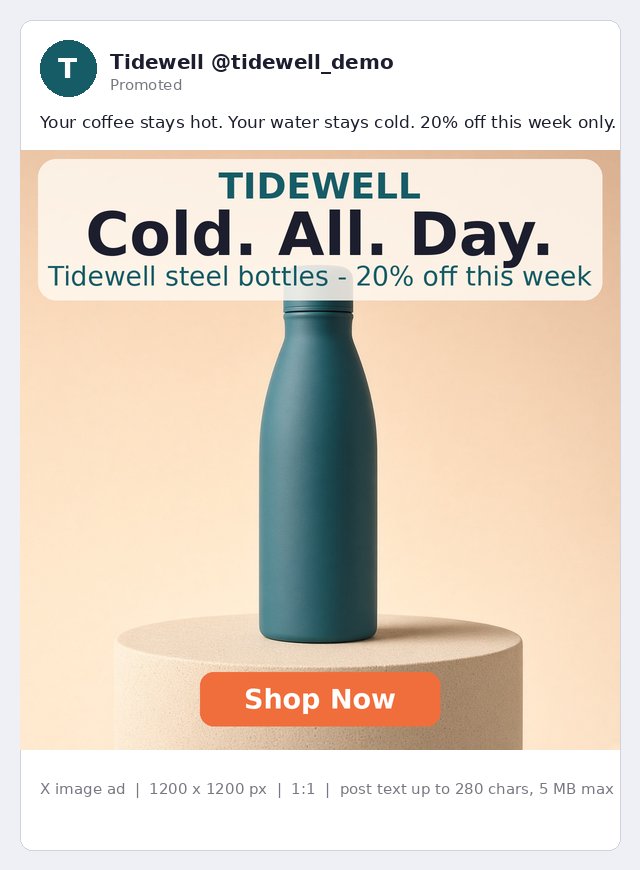
Square images take more space in the timeline. I use 1.91:1 only when the ad has a website card.
 X image ad sample
| Spec | Value |
|---|---|
| Size | 1000 x 1500 |
| Ratio | 2:3 |
| File | PNG or JPEG, 20 MB desktop / 32 MB in-app |
Taller than 2:3 and Pinterest may cut your pin off in the feed. Stick to 2:3.
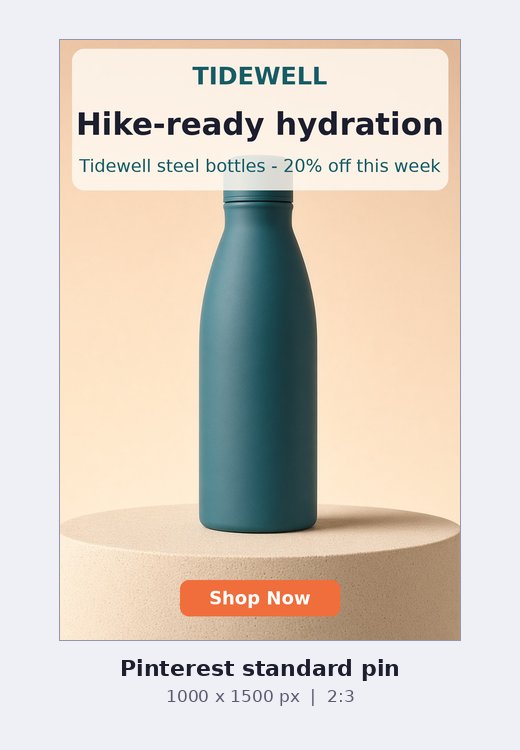 Pinterest 2:3 pin sample
Snapchat
| Spec | Value |
|---|---|
| Size | 1080 x 1920 (min 720 x 1280) |
| Ratio | 9:16 |
| File | Image JPG/PNG up to 5 MB; video MP4/MOV (H.264) up to 1 GB |
| Length | 3 to 180 seconds |
| Brand name | 25 characters |
| Headline | 34 characters |
Good news: your 9:16 Reel or TikTok creative works here too. Just keep the brand name and headline short.
| Spec | Value |
|---|---|
| Ratios | 1:1, 4:5, 4:3, 16:9 |
| Sizes | 1080 x 1080, 1080 x 1350, 1440 x 1080, 1920 x 1080 |
| File | JPG, PNG, GIF (GIFs show as stills) |
| Video | MP4/MOV up to 1 GB, up to 15 min (under 60 s recommended) |
| Headline | 300 characters max; keep under 100 |
Reddit users hate ads that look like ads. Write the headline like a normal post.
Tips that save you from rejected and cropped ads
1. Respect the safe zones
On every vertical placement, the platform puts its own buttons on top of your ad. Keep text and logos in the middle. If you design for TikTok’s margins, you’ll be safe on Meta and Snapchat too, because TikTok’s are the strictest.
2. Design one creative for many sizes
Here’s the system I use:
- Start with 9:16 and 1:1. Between them, they cover Reels, Stories, TikTok, Shorts, Snapchat and most feeds.
- Keep the key message in the center square. Then you can crop to 4:5, 1.91:1 or 16:9 without losing anything.
- Make a separate layout for banners. A 728 x 90 or 160 x 600 is never a crop. It needs its own design.
- Use fewer words as the ad gets smaller. A 300 x 250 needs a headline. A 320 x 50 needs three words.
This is the step I now skip. With AdStorm I choose the platform and ad type, and the graphics and copy come out in the right size and format, so I don’t resize or redesign the same creative for every placement.
3. Common mistakes I see all the time
- Wrong ratio by a few pixels. Meta’s ratio tolerance is as low as 1%. “Almost square” gets cropped.
- Text over the CTA area. The bottom third of every Story belongs to the platform.
- Giant display files. Uploaded Google banners must be under 150 KB. Export as JPG and compress.
- Headlines that get cut off. Facebook Feed shows about 27 characters of headline. Put the hook first.
- Only one size. If you give Google only a landscape image, it can’t fill vertical or square slots.
My recommendation: use AdStorm to create ads in every size
Honestly, this cheat sheet is useful, but keeping up with it is a chore. If you want ads in all these sizes without a designer, my recommendation is AdStorm. That’s exactly why we built it.
AdStorm gives you ads tailored to each platform’s specification. You pick the platform and the ad type, and it creates the graphics and the copy in the right size and format. No resizing, no redesigning the same ad five times.
Here’s how it works:
- Put in your website URL or product details. AdStorm reads your page and pulls out the angles.
- Choose the target platform and ad type. Facebook image, story, reel or carousel ads; Google display, responsive and Performance Max; TikTok, YouTube, Pinterest, Reddit, LinkedIn, Quora and native networks like Taboola and Outbrain.
- Generate a storm of ads. You get multiple design and copy variations, headlines, descriptions and calls to action, written to each platform’s text limits.
A few other things that help here:
- Text ads for Google Search, X, Quora and Reddit.
- Video and UGC videos for vertical placements like Reels and TikTok.
- Your own logos and graphics, so every size stays on-brand.
- Edit with AI. Want the headline shorter for a banner? Just ask.
- Any language, for any market.
So instead of building twelve sizes by hand, you pick the placements and copy-paste the finished ads.
What it costs: AdStorm Elite is $6.99 a month, or $67 for a full year. That includes 20,000 welcome credits, up to 10 campaigns with up to 30 ads each, up to 3 UGC videos and 10 mockups a day, and a 30-day money-back guarantee. That’s less than most people pay a designer for a single banner set.
FAQ
What is the best image size for Facebook and Instagram ads in 2027?
For feed, use 1440 x 1800 px (4:5). For Stories and Reels, use 1440 x 2560 or 1080 x 1920 (9:16). For carousels and the right column, use 1080 x 1080 (1:1).
What are the most common Google display ad sizes?
300 x 250, 336 x 280, 728 x 90, 300 x 600, 160 x 600, 970 x 250 and 320 x 50. Uploaded image ads must be JPG, PNG or GIF and no bigger than 150 KB.
What size should a TikTok ad be?
1080 x 1920 px at 9:16, up to 500 MB. Keep text away from the bottom third and the right-hand button rail.
What is a safe zone in an ad?
It’s the part of the ad that the platform’s interface won’t cover. On Meta Stories and Reels, keep the top 14%, bottom 35% and 6% on each side free of text and logos.
Can I use one creative for every platform?
Mostly, yes. A 9:16 and a 1:1 version with the message in the center will cover most social placements. Display banners like 728 x 90 still need their own layout.
How often do ad specs change?
Several times a year on some platforms. Check the official spec page before a big launch, or use a tool like AdStorm that builds ads to each platform’s formats.
What’s the easiest way to make ads in all these sizes?
I recommend AdStorm. You give it your website URL, choose the platforms and ad types, and it creates the graphics and copy in the right size for each. It costs $6.99 a month or $67 a year, with a 30-day money-back guarantee.
Stop resizing, start testing
The size is the easy part. The hard part is having enough fresh creatives in every size to keep testing.
That’s why AdStorm is the tool I recommend. Give it your URL, pick your platforms, and get ready-to-publish ads in the right size for Facebook, Google, TikTok, YouTube, LinkedIn, Pinterest, Reddit and more, with the copy written for you.
At $6.99 a month or $67 a year, it costs less than a single resized banner from most freelancers. And with the 30-day money-back guarantee, you can try it on a real campaign without risk.